Every email deliverability guide tells you to “set up SPF, DKIM, and DMARC,” and almost none explain what they actually are in language a marketer can use. These three email authentication protocols are foundational to deliverability, and understanding them — without an engineering degree — helps you have the right conversations and make the right decisions. This article explains all three in plain terms.
What the three protocols do
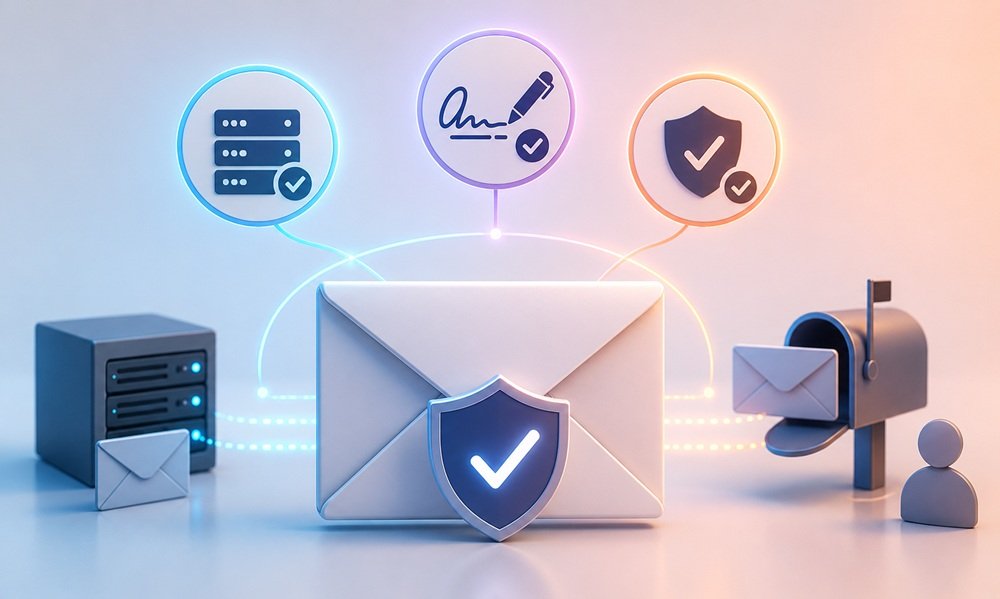
SPF, DKIM, and DMARC are email authentication protocols — they prove to receiving mail servers that your email genuinely comes from you and isn’t a forgery. Email was designed without built-in identity verification, making sender forgery easy; these protocols are the layers that solve that, and mailbox providers now heavily weight them in deciding whether to trust (and inbox) your mail.
 SPF (Sender Policy Framework)
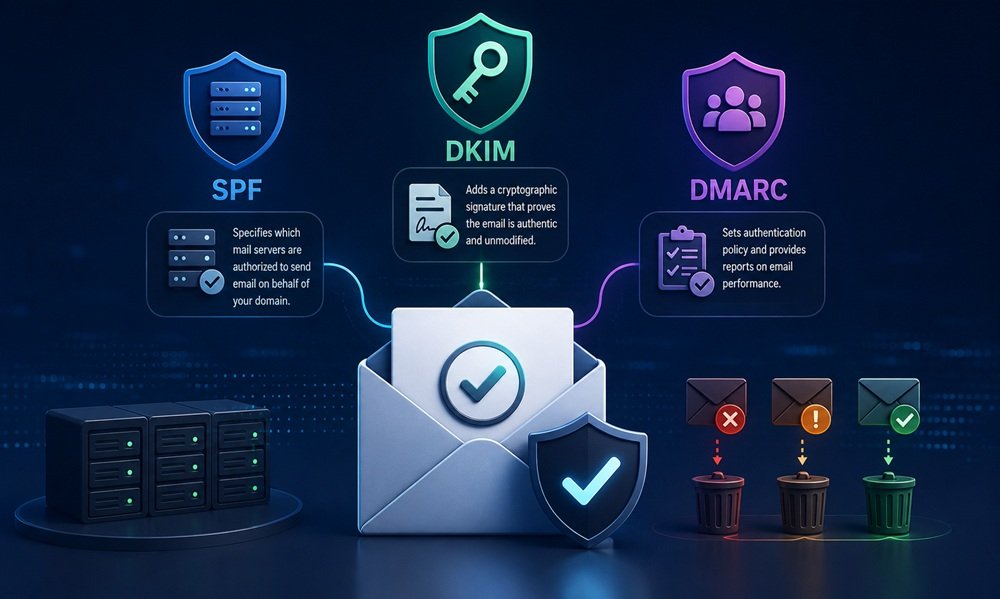
 specifies which mail servers are authorized to send email on behalf of your domain. It’s like a guest list: your domain publishes a record listing the servers permitted to send as you, and receiving servers check whether incoming mail came from a listed server. If mail claims to be from your domain but comes from an unlisted server, that’s a red flag.
DKIM (DomainKeys Identified Mail) adds a cryptographic signature to your emails that proves the message genuinely came from your domain and wasn’t altered in transit. It’s like a tamper-evident seal: the signature lets receiving servers verify the email is authentically from you and unmodified.
DMARC (Domain-based Message Authentication, Reporting and Conformance) ties SPF and DKIM together and tells receiving servers what to do when mail fails authentication — and provides reports on authentication results. It’s the policy layer: it says “if email claiming to be from my domain fails SPF and DKIM, here’s how to handle it” (monitor, quarantine, or reject), and it gives you visibility into who’s sending as your domain.
Common questions
What does SPF actually do?
SPF specifies which mail servers are authorized to send email for your domain — essentially a published list of permitted senders. When email arrives claiming to be from your domain, the receiving server checks whether it came from a server on your SPF list. Mail from authorized servers passes; mail from unlisted servers fails the check, signaling possible forgery. SPF is the “who’s allowed to send as me” layer. It’s foundational but not sufficient alone, which is why it works alongside DKIM and DMARC.
What does DKIM add that SPF doesn’t?
DKIM adds cryptographic proof that the email genuinely came from your domain and wasn’t altered in transit. While SPF verifies the sending server is authorized, DKIM verifies the message itself is authentic and unmodified through a digital signature. It’s the difference between checking the sender’s address (SPF) and verifying a tamper-evident seal on the contents (DKIM). Together they’re stronger than either alone — SPF authorizes the server, DKIM authenticates the message. Both passing gives receiving servers strong confidence the mail is genuinely yours.
What does DMARC do?
DMARC ties SPF and DKIM together with a policy and reporting layer. It tells receiving servers what to do when email claiming to be from your domain fails authentication — monitor it (take no action but report), quarantine it (send to spam), or reject it (block entirely). It also provides reports showing who’s sending email as your domain, revealing both your legitimate senders and any forgers. DMARC is the enforcement and visibility layer that makes SPF and DKIM actionable — without it, failures aren’t handled consistently and you have no visibility.
Do I really need all three?
Yes, for good deliverability in 2026. Mailbox providers increasingly expect all three, and major providers have made authentication requirements stricter — bulk senders especially face requirements to authenticate properly. SPF and DKIM establish authentication; DMARC enforces policy and provides visibility. Missing any of them weakens your authentication posture and can hurt deliverability or, increasingly, cause mail to be rejected outright. The three work as a system; implementing all of them correctly is now table stakes for serious email senders.
What are DMARC policies, and which should I use?
DMARC offers three policy levels:
none (monitor — report failures but take no action, useful when first setting up to see what’s happening),
quarantine (send failing mail to spam), and
reject (block failing mail entirely). The typical progression is to start at “none” to gather reports and confirm your legitimate mail authenticates correctly, then move to “quarantine” and eventually “reject” as you gain confidence. Moving to enforcement (quarantine/reject) protects your domain from forgery but requires confirming your legitimate senders all pass first, so you don’t block your own mail.
What happens if I don’t set these up?
Your deliverability suffers and your domain is vulnerable to forgery. Without proper authentication, mailbox providers trust your mail less, pushing more of it toward spam folders — and increasingly, unauthenticated bulk mail faces outright rejection as providers tighten requirements. Additionally, without DMARC, anyone can forge email from your domain (spoofing), damaging your brand and your recipients. Skipping authentication means worse inbox placement and an unprotected domain. In 2026’s stricter environment, proper authentication isn’t optional for serious senders.
Who sets these up — do I need an engineer?
Setup involves publishing DNS records for your domain, which is technical but well-documented and typically a one-time configuration (with ongoing DMARC report monitoring). It’s usually handled by whoever manages your domain’s DNS — an IT person, your email platform’s support, or a deliverability specialist. As a marketer, you don’t need to configure them yourself, but understanding what they do helps you ensure they’re set up, interpret DMARC reports, and have informed conversations about deliverability. Know what they are and confirm they’re properly implemented; the technical setup can be delegated.
How this applies to your business
Confirm all three protocols are properly set up for your sending domain, because they’re foundational to deliverability and increasingly required. SPF authorizes your sending servers, DKIM authenticates your messages, and DMARC enforces policy and provides visibility. In 2026’s stricter environment, proper authentication is table stakes — missing or misconfigured authentication hurts inbox placement and, for bulk senders, can cause outright rejection. Verify with whoever manages your DNS that all three are correctly implemented.
Use DMARC’s reporting and progress toward enforcement. Start with a “none” policy to gather reports and confirm your legitimate mail authenticates correctly, then move toward “quarantine” and “reject” to protect your domain from forgery. The reports reveal who’s sending as your domain — both your legitimate senders and any forgers — giving you visibility that’s valuable for both deliverability and brand protection. Moving to enforcement protects your domain, but confirm all legitimate senders pass first.
Understand these protocols even if you don’t configure them, because deliverability is too important to treat as a black box. Knowing what SPF, DKIM, and DMARC do lets you ensure they’re set up, interpret DMARC reports, diagnose authentication-related deliverability problems, and have informed conversations with IT and deliverability specialists. The technical setup can be delegated, but the marketer who understands authentication makes better deliverability decisions than one who treats it as someone else’s mystery.
Iscope Digital’s
Email Marketing service includes full authentication setup and monitoring (SPF, DKIM, DMARC, and BIMI) as part of deliverability engineering. For why authentication matters to the bigger picture, see
What is email deliverability?, and for the email branding layer that builds on authentication,
BIMI and email branding: is the certificate worth the cost?